
Set the scene
Change the contact details, phone clock, status bar, and contact names so the fake iMessage chat starts from the right context.
Free fake iMessage chat generator
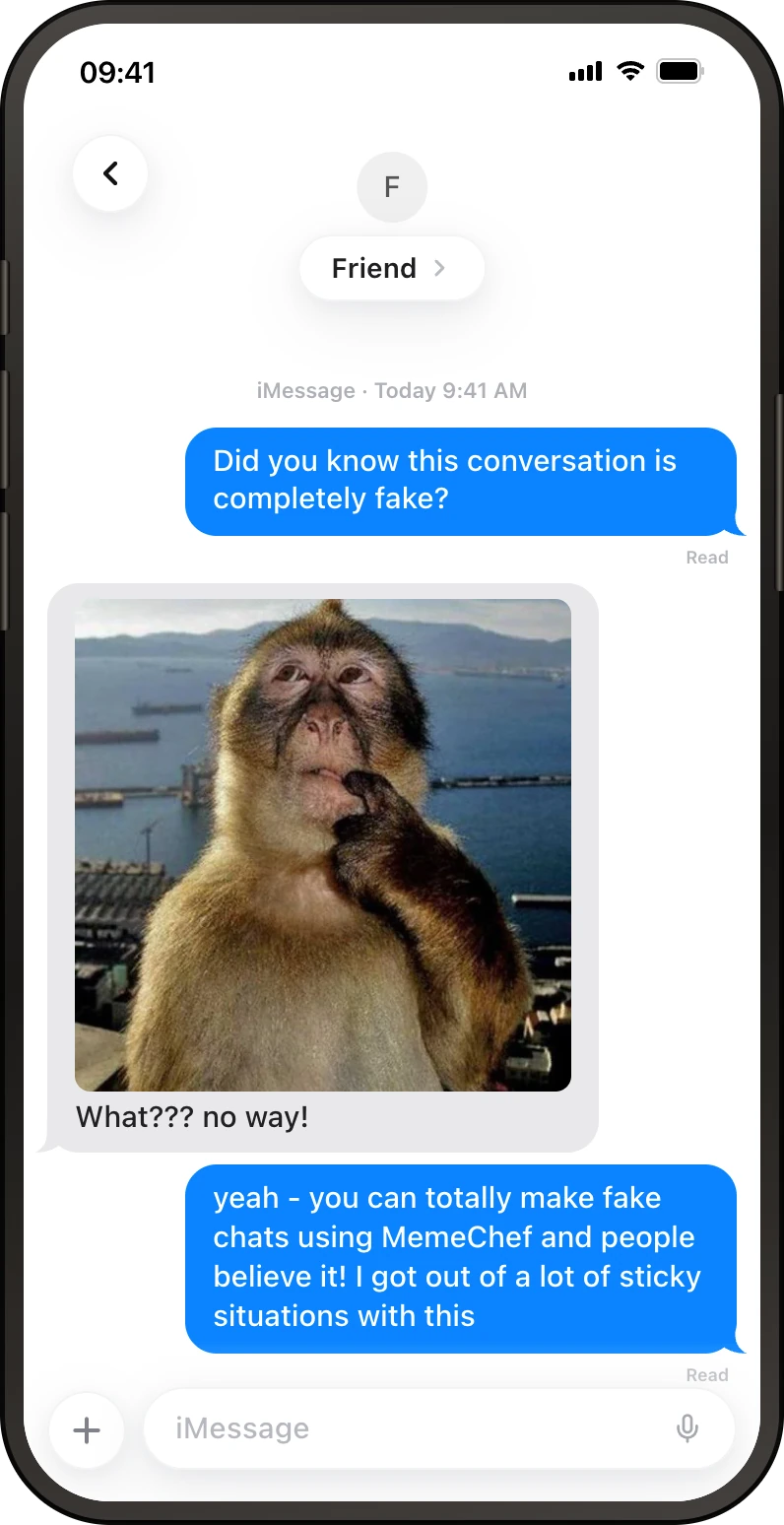
Create a realistic iMessage chat screenshot in seconds. Edit contact names, iOS bubbles, timestamps, and read receipts, then export a clean image for fake text conversations, iPhone memes, pranks, and storyboards.
Make social media creatives, prank your friends and tell stories - the choice is yours
How it works
The editor keeps the details close to iMessage while leaving the conversation fictional and easy to change.
Change the contact details, phone clock, status bar, and contact names so the fake iMessage chat starts from the right context.
Add sender and receiver messages, adjust iOS bubbles, attach images, and tune the iMessage details.
Download a polished fake iMessage chat image that is ready for fake text conversations, iPhone memes, pranks, and storyboards.
iMessage details
iMessage blue and gray bubbles, iOS-style timestamps, contact names, image texts, and read receipts. The small stuff is what makes the screenshot read correctly.
Blue sender messages, gray receiver messages, rounded iOS shapes, and tight spacing make the screenshot read like iMessage.
Add iPhone-style message times and read states when the fake text conversation needs more context.
The preview includes contact details, phone chrome, and a familiar iMessage conversation layout.
Attach image messages for fake texts, reaction jokes, receipts, and story beats.
Use cases
Start with iMessage when the format matters more than a blank text document. The screenshot does the framing for you.
Turn an imaginary iMessage chat into a screenshot people can understand fast.
Make a fictional iMessage chat for harmless pranks, group chat bits, and fake receipts.
Sketch iMessage dialogue for videos, comics, campaign ideas, and product flows.
Create fictional iMessage chats for moderation, support, or communication training material.
FAQ
Yes. You can make and export fake iMessage chat screenshots for free, with no sign-up and no watermark.
Yes. You can change contact names, iOS bubbles, timestamps, and read receipts, message text, images, and the phone details before exporting.
No. The generator creates a fictional screenshot in your browser. It does not send messages through iMessage.
Use fake iMessage chats for fake text conversations, iPhone memes, pranks, and storyboards, fictional examples, and screenshots that need to look like iMessage.
Ready
Open the editor, customize the conversation, then export a screenshot when it looks right.